
- December 23, 2025
How I Use Notion As A Marketer
- By: Zoe Hipel
How I use Notion
I didn’t start using Notion because it was the latest productivity trends. I started using it because my marketing work was scattered. I ended up having ideas in notes, content calendars in spreadsheets, client documents in Google Drive, and tasks living rent-free in my head.
Notion Slowly became the place where everything came together
Today I Use Notion as my central marketing workspace. It’s Where I plan campaigns, manage content, document processes, and keep track of both client and internal projects. Instead of switching between multiple tools, I can think, plan, and execute in one place, which makes my workflow calmer and far more efficient.
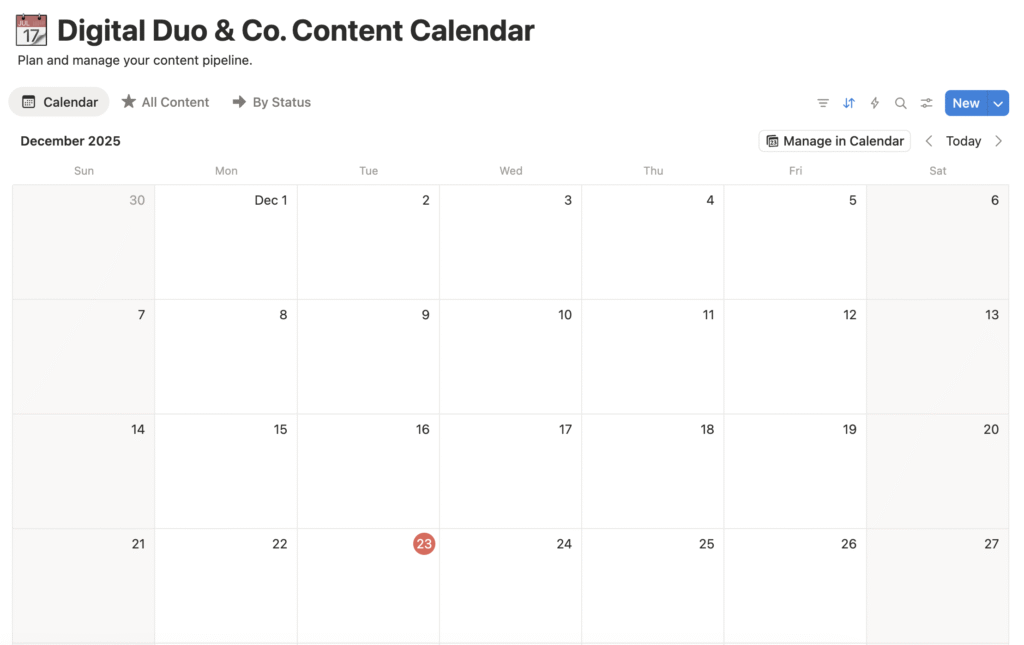
When I’m planning content, I dont start with dates; I begin with ideas. In Notion, each idea lives in a database where I can add notes, assign a status, and connect it to a campaign or client. On brainstorming days, I’ll view it as a simple list. When I’m executing, I switch to a board view to move content from idea to draft published. When it’s time to schedule, I use a calendar view. The information stays the same, and only the perspective changes.
That Flexibility is Why Notion Works So Well
Today I Use Notion as my central marketing workspace. It’s Where I plan campaigns, manage content, document processes, and keep track of both client and internal projects. Instead of switching between multiple tools, I can think, plan, and execute in one place, which makes my workflow calmer and far more efficient.
When I’m planning content, I dont start with dates; I begin with ideas. In Notion, each idea lives in a database where I can add notes, assign a status, and connect it to a campaign or client. On brainstorming days, I’ll view it as a simple list. When I’m executing, I switch to a board view to move content from idea to draft published. When it’s time to schedule, I use a calendar view. The information stays the same, and only the perspective changes.
As a marketer, I move constantly between strategy and execution. I might be outlining a campaign one moment and writing copy or reviewing designs the next. Notion lets me keep strategic thinking right next to the work itself. A single project page can include campaign goals, audience insights, content angles, draft captions, and links to design files, and they are all in one place. This reduces context switching and helps projects move forward faster.
I also use Notion to document how I work. Instead of keeping processes in my head, I’ve created simple SOPs (standard operating procedures) for things like content publishing, client onboarding, and campaign reporting. These aren’t rigid manuals; they’re practical checklists with notes and examples that reflect real marketing workflows. Over time, this has made my work more consistent and much easier to scale.
Notion has also become my central hub for marketing assets: campaign briefs, brand guidelines, inspiration, folder links, and analytics references. Everything is connected to the project it belongs to, so I never have to search through emails or folders to find what I need. When I hit a creative block, I use Notion AI as a starting point. Whether I’m drafting a blog post, reworking a headline, or summarizing notes, it helps me get momentum without replacing my voice. I treat it as a brainstorming partner, not a final draft.
To stay organized at a higher level, I’ve built dashboards that show my upcoming deadlines, active campaigns and tasks that need attention. Having a clear overview of my marketing workload helps me prioritize intentionally rather than react to whatever feels more urgent.
Ultimately, Notion works for me because I built a system around how I think as a marketer. It’s flexible enough to adapt, structured enough to stay focused, and simple enough that I actually enjoy using it. For me, that’s what turns ideas into consistent, high-quality marketing works.